6 MIN READ
Keeping up with API versions is worth it, and here are 8 reasons why
If your code still runs, why bump the API version? Because the version is also the platform you get to build with. Eight wins for developers and admins.
 Idea Bulut team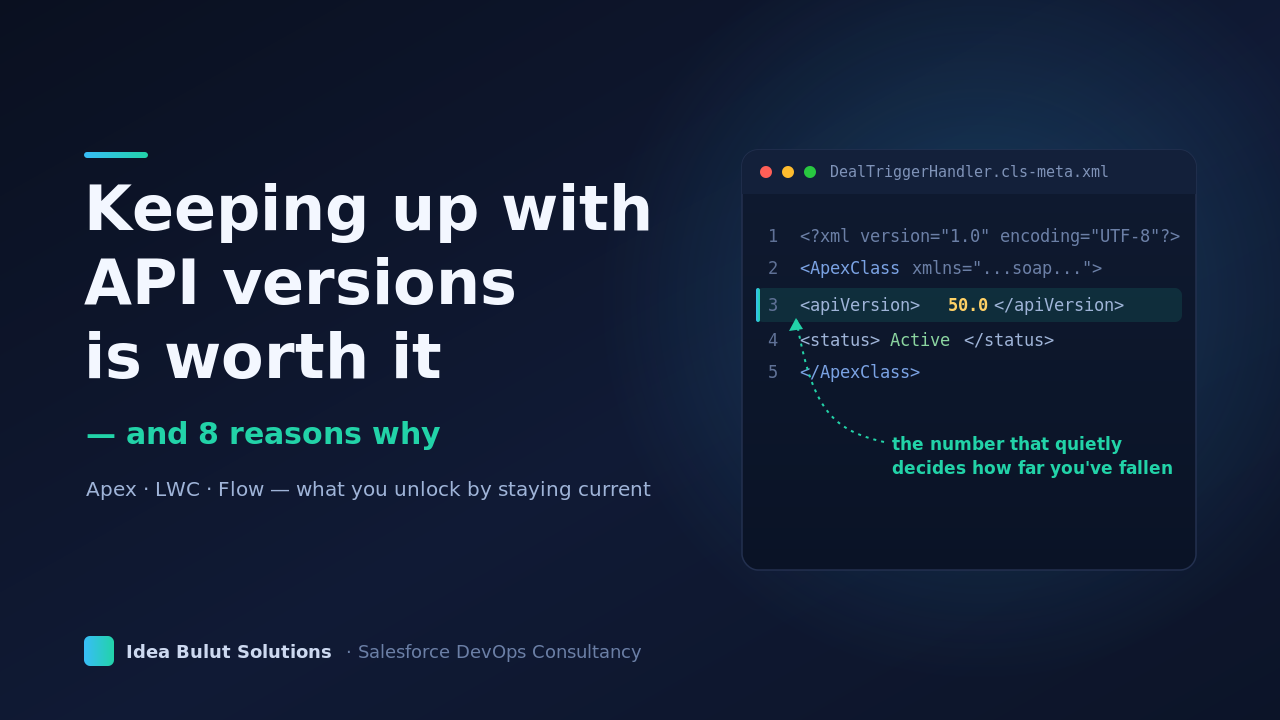
There's a question almost every Salesforce team asks at some point: if my code still runs, why bump the API version?
It's a reasonable instinct. A class saved on an older version keeps doing its job, and there's always something more urgent in the backlog. But the version your components run on is also the version of the platform you get to build with. Each release adds language features, component APIs, and Flow capabilities — and most of them only become available to a class, component, or flow once it's actually on that version. The syntax isn't there for your class until the class is. The Flow capability doesn't appear until the flow is upgraded.
Part of what makes this easy to ignore is that the API version is nearly invisible. You don't see it while you work. For Apex it lives in a separate .cls-meta.xml file next to the class. For a Flow it's buried inside the flow's XML. For an LWC it's tucked in the component's .js-meta.xml. Nothing in the editor reminds you it's there, so it quietly stays put release after release — and because you never look at it, it's hard to feel how far behind you've drifted until you hit something you expected to work and it isn't there.
So keeping current isn't about avoiding trouble. It's about getting the full platform: writing cleaner code, designing simpler systems, and reaching for tools the platform already built for you. Maintenance done this way isn't a chore — it's how you keep the house tidy so the next thing you build is easier, not harder.
Here are eight of those wins. Six speak mostly to developers, and reactive components lead both lists because they're a win for everyone.
For developers
1. Reactive components — UI that responds without wiring it by hand (v59.0, Winter '24)
Reactive screen flow components now compute their values on the initial screen load, not just after a user interacts. A field — including a reactive LWC input — configured to respond to another field evaluates immediately as the screen renders.
For developers building components that live inside screen flows, this means your reactive inputs behave predictably from the first paint, and you can lean on the framework to keep values in sync instead of orchestrating it yourself. Less glue code, fewer edge cases, a cleaner mental model. (One detail to keep in mind: re-navigating back to the same screen doesn't re-trigger the calculation.)
2. Custom Metadata getAll / getInstance — config reads without the SOQL tax (v51.0, Spring '21)
Static methods on custom metadata type sObjects — getAll() and getInstance() — let you pull records directly, without a SOQL query. Configuration reads stop counting against your query governor limits, and the code reads better too.
// No SOQL, no query-limit hit
My_Setting__mdt config = My_Setting__mdt.getInstance('Default');
Decimal threshold = config.Threshold__c;

Map<String, My_Setting__mdt> all = My_Setting__mdt.getAll();
These methods are tied to the API version of the class. On an older version, getInstance simply isn't available yet — which is exactly the kind of capability you pick up for free by keeping the class current.
3. Database.queryWithBinds — dynamic SOQL, cleanly (v57.0, Spring '23)
Three methods — queryWithBinds, getQueryLocatorWithBinds, and countQueryWithBinds — let you pass bind variables through a Map instead of relying on in-scope Apex variables. You get fully dynamic SOQL with the binds explicit and isolated, which is both safer and easier to reason about than assembling query strings.
Map<String, Object> binds = new Map<String, Object>{
    'status' => 'Active',
    'minAmount' => 10000
};
List<Account> accts = Database.queryWithBinds(
    'SELECT Id, Name FROM Account WHERE Status__c = :status AND Amount__c > :minAmount',
    binds,
    AccessLevel.USER_MODE
);
4. lwc:ref and this.refs — DOM access that survives a refactor (v57.0, Spring '23)
The lwc:ref directive plus the this.refs API give you a clean, scoped way to reach elements in your component's template — a proper replacement for this.template.querySelector('.some-css-class') strings that silently break the moment the markup changes.
<template>
  <input lwc:ref="emailField" type="email" />
</template>handleValidate() {
this.refs.emailField.reportValidity();
}No CSS selector to keep in sync, no surprise when a class name changes — a small thing that makes components noticeably more maintainable.
5. Native modals with LightningModal (v56.0, Winter '23)
The LightningModal base class — with lightning-modal-header, -body, and -footer — gives you a standard, accessible modal API out of the box. No third-party overlay library, no hand-rolled CSS, no reinventing focus trapping and keyboard handling. Accessibility and consistency come built in, so you spend your time on the content of the dialog rather than the plumbing.
import MyModal from 'c/myModal';

const result = await MyModal.open({
  size: 'small',
  label: 'Confirm action',
});
6. The Compression namespace — native Zip in Apex (v63.0, Spring '25)
ZipWriter and ZipReader are GA, so you can build and extract Zip archives directly in Apex — no external callout, no third-party library, no base64 gymnastics through a web service.
Compression.ZipWriter writer = new Compression.ZipWriter();
writer.addEntry('report.csv', Blob.valueOf(csvData));
Blob zipFile = writer.getArchive();
Bundling attachments, packaging exports, accepting Zip uploads — all of it stays on-platform, which is a simpler and more secure design than routing data out and back.
For admins
1. Reactive components — forms that respond live, no Apex (v59.0, Winter '24)
Reactive screen flow components compute their values on the initial screen load, not just after a user pokes a field. A field configured to react to another evaluates immediately when the screen renders.
In practice: a quantity field and a price field can drive a running total that's correct the instant the screen appears — entirely declaratively. It's the kind of responsive experience that used to require a developer, now available to you in Flow Builder once your screen flows are on v59+. One thing to design around: re-navigating back to the same screen doesn't re-trigger the reactive calculation. That's standard runtime behavior, not a bug — so plan your screen navigation loops with that state in mind.
2. Before-delete record-triggered flows — more automation, less code (v50.0, Winter '21)
Record-triggered flows can run before a record is deleted. The $Record variable gives you the record on its way out, so cleanup, validation, and archival checks you'd otherwise hand to a developer become declarative.
A couple of edges to know: undelete operations don't fire these flows, and addError() isn't supported in invocable actions called from them. For most "don't delete this if…" or "snapshot before delete" patterns, though, you can build it yourself in Flow.
3. Scheduled flow custom batch size — a tuning dial for big jobs (v67.0, Summer '26)
Scheduled flows can set a custom batch size from 1 to 200 right in the Start element. Complex automations that used to strain against governor limits can be partitioned into smaller chunks — a control that simply isn't there on older versions. If a scheduled flow has ever struggled on a heavy day, this is the knob you wanted.
Reasons to maintain, and take advantage
Keeping components current is how you keep collecting the platform's best ideas instead of building around their absence. The patterns add up: null-safe config reads, DOM access that survives a refactor, declarative automation where you used to need code, responsive forms with no glue.
And it doesn't have to be a big-bang project. You don't upgrade the whole org at once — bump versions per component, iteratively, as part of routine maintenance: new classes start current, and existing ones move up when you're already in them, backed by a regression test suite that tells you each step is clean. Small, steady, low-risk.
That's the real return on staying current — not avoiding anything, but steadily getting to write better code and design better systems on a platform that keeps handing you better tools. Tidy the house regularly and every future build starts from a better place.